

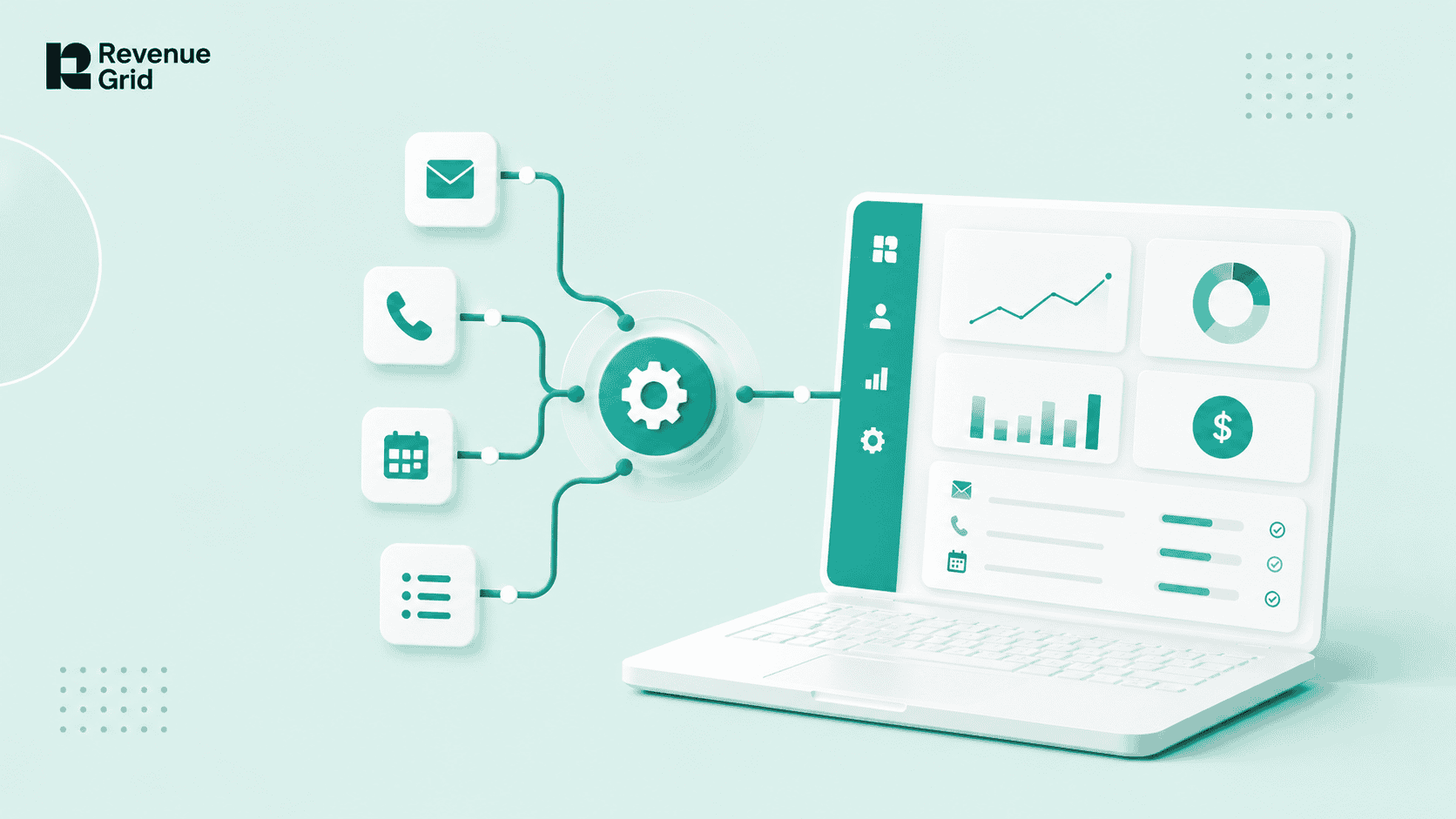
Key Takeaway
- Sales automation covers seven distinct layers: activity capture, sequences, scheduling, pipeline signals, data enrichment, sales force automation, and AI tools. Most teams buy from layer four before fixing layer one.
- "Syncs with Salesforce" and "native to Salesforce" are not the same thing. The difference determines whether your pipeline data is complete, reportable, and yours after cancellation.
- High outreach volume past your domain's deliverability threshold collapses net pipeline. Throttle volume before scaling sequences.
- Build the stack in order: activity capture first, sequences second, pipeline signals third, AI coaching last. Reversing the order produces noise, not insight.
- Revenue Grid runs as a Salesforce managed package. Every sequence step, captured email, and pipeline signal writes as a native Salesforce record with no middleware and no sync lag.
- Vapotherm saved 761 person-days in one year. Slalom found that a 1% improvement in meeting conversion driven by better pipeline data translated to $30M in sales.
You did not buy sales automation to spend Sunday afternoons cleaning up duplicate records in Salesforce. You bought it to give reps their time back, make forecasts trustworthy. If that has not happened yet, the tool is probably not the problem. The architecture is.
This guide starts with what sales automation actually does, then covers: deliverability risk, CRM integration depth, and honest total cost. By the end, you will know how to evaluate tools on the two criteria that actually determine ROI: integration integrity and rep adoption, not feature count.
What Are Sales Automation Tools?
Sales automation tools are software that handle repetitive sales tasks: logging activity, sending follow-up sequences, scheduling meetings, updating CRM records, and surfacing deal risk. They exist so reps spend more time selling and less time on admin.
The best ones do this inside your CRM. The rest sync to it. That architectural difference determines whether your pipeline data is complete, real-time, and trustworthy.
According to Gartner, 50% of rep time across all sales roles goes to non-selling activities. A 2026 Gartner survey of 210 chief sales officers found that AI tools save sellers 4.8 hours per week on average, but only when the underlying CRM data is clean and complete. Automation built on bad data accelerates the wrong things.
Definition
Sales automation is the use of software to replace or streamline repetitive manual tasks in the sales process. It covers everything from automatic activity capture and multi-touch sequences to AI-driven deal-risk signals and guided selling nudges.
For a deeper breakdown of how sales automation has evolved in 2026, see what sales automation looks like for Salesforce teams this year.
Types of Sales Automation Tools
Sales automation is not a single category. It is seven overlapping layers, each solving a different job for a different member of the revenue team. Understanding which layer you actually need before buying is the single most effective way to avoid a wasted implementation.
Activity capture and CRM logging
It automatically records emails, meetings, calls, and contact interactions as native Salesforce records. When it works, the CRM reflects what reps actually did. When it syncs to an external store instead, pipeline data becomes partial and reports become unreliable. Revenue Grid’s activity capture writes every interaction directly to standard Salesforce objects, with no external storage, no retention caps, and no manual rep effort.
Sales sequences and cadences
It automates multi-touch outreach across email, calls, LinkedIn, and SMS, based on timing rules and prospect behavior. Reps configure sequences once; the platform executes and logs every step. The quality of the Salesforce sync determines whether sequence activity shows up in your pipeline reports. See sales sequences that convert for a full guide on building multichannel cadences inside Salesforce.
Scheduling automation
Tools like Calendly and Chili Piper remove the back-and-forth from meeting booking. They auto-suggest availability, route to the right rep, and reduce no-shows. The limitation is that they rarely write back to Salesforce at the depth that a native activity capture tool does, which matters when you are tracking meeting outcomes against pipeline.
Pipeline and deal-risk automation
This layer analyzes CRM activity, engagement signals, and deal history to surface risk before it becomes a missed forecast. The prerequisite is accurate, complete activity data upstream. Thin pipeline data produces unreliable signals. See how pipeline visibility depends on the completeness of upstream activity capture.
Enrichment and data automation
Tools like Apollo, Clay, and ZoomInfo fill in contact data automatically: job titles, phone numbers, and email addresses. They reduce prospecting time but introduce data decay risk. Stale enrichment data is one of the top two complaints in G2 and Capterra review corpora for this category, alongside pricing opacity.
Sales force automation (SFA)
The broadest layer covers managing contacts, leads, opportunities, and tasks inside the CRM itself. Salesforce’s own Process Builder, Flow, and Agentforce sit here. So do territory management, approval routing, and quote configuration. See the sales force automation guide for a full treatment of native Salesforce automation capabilities.
AI-powered sales tools
The newest layer: AI models that analyze pipeline signals, recommend next-best actions, draft email replies, summarize meetings, and coach reps in real time. These tools are only as reliable as the CRM data from which they read. For 2026 guidance on where AI fits the stack, see AI sales platform.
Sales Automation vs. Marketing Automation
The two categories are often confused, but they operate in different parts of the funnel and serve different teams. Getting the handoff right between them is what determines whether a hot marketing lead arrives in Salesforce with a useful context or without any.
Marketing automation handles top-of-funnel workflows: nurturing emails, scoring leads, managing campaigns, and handing off MQLs. It operates before a prospect is sales-ready. Sales automation takes over once a lead enters the pipeline: activity capture, rep sequences, meeting scheduling, CRM updates, and deal-risk signals. The two functions operate in different systems, serve different teams, and work with different data.
The handoff between the two determines pipeline quality. If marketing automation sends a hot lead into a CRM with incomplete activity history, reps go into the first call blind. That is an architecture problem, not a tool problem.
| Dimension | Marketing Automation | Sales Automation |
|---|---|---|
| Primary team | Marketing | Sales, RevOps |
| Funnel stage | TOFU / MOFU | MOFU / BOFU |
| CRM relationship | Writes leads in | Writes activities, updates records |
| Common tools | Marketo, HubSpot, Pardot | Outreach, Salesloft, Revenue Grid |
| Key output | MQLs, email engagement | Pipeline data, booked meetings, CRM hygiene |
How Sales Automation Fits the Salesforce Stack
Knowing the types of automation tools is only useful if you understand how they connect to your CRM. For Salesforce teams, the integration architecture is not a technical footnote; it is the primary variable that decides whether your pipeline reports are trustworthy.
Salesforce is the system of record for most mid-market and enterprise revenue teams. How well your automation tools integrate with it determines whether your pipeline reports are trustworthy. There are two fundamentally different integration architectures:
Synced tools operate outside Salesforce and push data in through the API. They maintain their own database and sync on a schedule. Field mapping breaks when admins customize objects. Duplicate records appear when matching logic fails. Nightly batch sync creates lag between what happened and what Salesforce shows.
Native tools are built as Salesforce managed packages. They do not maintain a parallel database. Every captured email, sequence step, and logged call writes directly to standard Salesforce objects: Tasks, Activities, Contacts, Leads, and Opportunities. All of it is immediately available to reports, Flows, the API, and every other tool that reads from Salesforce.
This distinction matters most in three situations: when you need activity data in Salesforce reports, when you run Flows or automation triggered by rep activity, and when you are in a regulated industry where data must stay inside your Salesforce org.
For a full breakdown of how Salesforce automation tools differ architecturally and how to evaluate each one against your org’s complexity, see the dedicated cluster page.
For how email capture fits the stack, see Salesforce email integration.
Use Cases by Role
The same automation stack solves fundamentally different problems depending on where you sit in the revenue org. Before evaluating tools, it helps to identify whose problem you are actually solving, because that shapes which capability matters most.
VP Sales / CRO
The job is forecast accuracy and pipeline predictability. Automation matters because reps who do not log activity manually produce pipelines full of gaps. Automated activity capture closes those gaps. AI deal-risk signals surface trouble before the QBR. Slalom, a Revenue Grid customer, found that a 1% improvement in meeting conversion translated to $30M in sales.
Head of RevOps
The job is clean data and trusted reporting. Every manual CRM step is a data quality risk. Automation that writes natively to Salesforce eliminates the most common source of bad data: rep discretion. The key metric that changes is CRM adoption rate and the percentage of activities logged without manual entry.
Director of Sales
The job is rep performance and pipeline coverage. Sequences ensure consistent follow-up. Activity data enables coaching based on what reps actually did. Pipeline signals identify which deals need intervention before they die quietly. The metric that changes is time spent on high-value accounts versus admin.
Salesforce Admin
The job is architecture stability. A new automation tool that syncs externally means maintaining field mappings, debugging duplicate records, and managing a parallel data store. A native managed package installs once and writes to the existing object schema. The metric that changes is support tickets related to CRM data problems.
AE / SDR (Rep)
The job is booking meetings and moving deals. Automation removes the logging burden, fires sequences automatically, and surfaces the right next action. The tool that wins is the one that lives in the inbox, not behind a separate login. The metric that changes is selling time as a percentage of working hours.
The Contrarian Truth About Automation Volume
With a clear picture of what automation covers and who it serves, the next question is how much to actually automate. This is where most implementations go wrong, and where the conventional advice fails entirely.
Every vendor will tell you that more sequences equal more pipeline. Past a volume threshold, that claim is wrong.
High send volume degrades domain reputation. Email providers assign reputation scores based on open rates, reply rates, and spam complaints. When those scores drop, emails land in spam. Sequences keep firing, spending budget, and generating CRM activity that looks like pipeline motion but produces nothing.
Teams that throttled volume and raised personalization consistently outperform high-volume automators. The mechanism is not effort; it is deliverability. A sequence that reaches the inbox at 30% of the volume outperforms one that hits spam at 100%. This is the section every competitor tool list skips. It is also the single biggest operational risk for teams launching sales automation for the first time.
What to do instead
-
- Warm up new sending domains gradually (20–30 emails per day, scaling over four to six weeks).
-
- Set per-rep daily sending caps before launching any high-volume sequence.
-
- Personalize beyond the first name. Signal-specific personalization drives higher reply rates than generic messaging.
-
- Stop sequences automatically when a prospect replies.
-
- Use a native Salesforce tool to minimize the number of external sending domains in your stack.
For the full deliverability guide within the sales automation context, see Salesforce email sequencing automation.
Native vs. Synced: The Most Important Distinction Buyers Miss
The deliverability problem connects directly to a deeper architectural question. The reason deliverability breaks down in many automation setups is because too many disconnected tools are sending from different domains. The root cause is a synced architecture, not a volume problem.
“Syncs with Salesforce” and “native to Salesforce” are not the same claim. Buyers treat them as equivalent. Vendors encourage that confusion.
Synced: The tool stores data in its own database and pushes to Salesforce via the API. Field mapping breaks when admins customize objects. Duplicates appear when matching logic fails. Lag exists between what happened and what Salesforce shows. When you cancel, your activity history may not be portable.
Native: The tool is built as a Salesforce managed package. It writes directly to standard Salesforce objects. There is no parallel database, no sync lag, and no field mapping to maintain. Data is available to reports, Flows, and the API immediately. When you cancel, your data stays in Salesforce permanently.
The practical difference shows up in four places: Salesforce reports that include activity data, Flows and automation triggered by rep activity, regulated industries where data cannot leave the Salesforce org, and the long-term survivability of captured activity history.
The Einstein Activity Capture trap
Many Salesforce teams default to Einstein Activity Capture (EAC) as their “native” solution. EAC has historically stored captured data on AWS infrastructure, outside Salesforce’s standard data layer, meaning it is not available in native Salesforce reports or process automation by default. The Summer 2025 release introduced a path to native storage, but the migration is irreversible, historical backfill is capped at 180 days, and two major deadlines converge in 2026: Activity 360 Reporting retires in Summer 2026, and the Microsoft Graph migration hits in August 2026.
For a full breakdown of EAC’s limitations, deadlines, and alternatives, see Einstein Activity Capture in 2026.
How to Build a Sales Automation Stack
Now that you understand the architecture distinction, the next practical question is sequencing. Most teams overbuy before their CRM data quality can support the tools they have purchased. The correct build order is as follows:
Layer 1: Activity capture first. Before you automate outreach, make sure every rep interaction is captured accurately in Salesforce. If activity data is missing or inconsistent, every downstream tool, whether sequences, pipeline signals, or AI coaching, reads from a corrupted foundation.
Layer 2: Sequences and cadences. Once activity data is reliable, automate outreach. Configure sequences with sending limits that protect domain reputation. Ensure sequence activity logs back to Salesforce natively.
Layer 3: Pipeline visibility and signals. With complete activity data flowing in, layer on deal-risk automation. AI signals that read from native Salesforce records surface real risks. Signals that read from a parallel database surface noise.
Layer 4: AI coaching and guided selling. The highest-value layer, and the one most teams reach for first. AI coaching tools that read from native Salesforce records provide genuinely useful recommendations. Those built on partial data produce recommendations reps ignore.
The most common stack mistake is buying a high-volume sequencing tool before fixing activity capture. The result is sequences firing at prospects whose full interaction history is invisible to Salesforce, producing duplicate outreach, wasted budget, and reputational damage. For detailed guidance on Salesforce-native workflow automation at each layer, see the Salesforce workflow automation guide.
How to Evaluate and Buy Sales Automation Tools
With the stack order clear, the evaluation framework becomes straightforward. There are five criteria that matter. Feature count is not one of them.
Integration depth: the first question to ask
Ask every vendor: where does captured activity data live? Is it in Salesforce as native records? Can I query it with the Salesforce API? Can it trigger a Salesforce Flow? If the answer to either is no, the tool syncs to Salesforce. It does not run inside it.
Rep adoption: where does the rep actually work?
A tool that requires a separate login, a new dashboard, or a context switch away from the inbox consistently sees lower daily usage than one embedded in Outlook or Gmail. Revenue Grid surfaces Salesforce data, sequence management, and activity logging directly inside the inbox. CRM adoption through activity capture covers how inbox-embedded tools change adoption rates in practice.
Honest TCO after add-ons and required seats
Across G2 review corpora, pricing opacity is among the top three complaints for Outreach, Salesloft, ZoomInfo, and EAC. Before signing, ask for the total cost with forecasting, pipeline visibility, and AI features included, not merely the base tier. Revenue Grid’s pricing is public: $30 per user per month for Activity Capture 360, $49 for Knowledge Capture, $149 for Ultimate.
Compliance and security
The minimum bar for any regulated industry is SOC 2 Type II, GDPR compliance, and explicit clarity on where data is stored. Revenue Grid is SOC 2 Type II certified and HIPAA compliant, with private cloud deployment available. EAC stores data on Salesforce’s AWS infrastructure, which creates data sovereignty questions for financial services, healthcare, and legal teams.
Data survivability
What happens to your activity history when you cancel? For tools with their own database, the answer is often that it leaves with them. For tools that write natively to Salesforce, the data stays permanently in your org, queryable indefinitely regardless of your vendor relationship.
Sales Automation Tools Comparison Table
The table below covers twelve tools across the major categories, organized by Salesforce integration depth and pricing transparency. Revenue Grid is listed first because this is our guide and our positioning is relevant to the architecture argument the page is built around.
| Tool | Category | Salesforce Integration | Best For | Pricing |
|---|---|---|---|---|
| Revenue Grid | Native engagement + capture | Native Salesforce records | Salesforce orgs needing full data fidelity | From $30/user/mo |
| Outreach | Sales engagement | API sync, external store | High-volume enterprise SDR/BDR | Request-only |
| Salesloft + Clari | Engagement + forecasting | Parallel data store | Cadence + AI orchestration | Request-only |
| Apollo.io | Database + sequences | API sync | Bundled data + sequences, SMB | From $49/user/mo |
| HubSpot Sales Hub | CRM + engagement | Native to HubSpot | Teams not on Salesforce | From $100/user/mo |
| Clay | Data enrichment | Pushes to CRM | Waterfall enrichment workflows | From $149/mo |
| Mixmax | Inbox sequencing | Basic API sync | Small teams, lightweight Gmail | From $29/user/mo |
| Yesware | Inbox tracking | Basic Salesforce sync | Email tracking and templates | From $15/user/mo |
| lemlist | Outbound sequences | External, CRM push | Affordable outbound + warmup | From $39/user/mo |
| Reply.io | Multichannel sequences | External, CRM sync | Multichannel, agency use cases | From $60/user/mo |
| SF Sales Engagement | Native SF sequences | Native with caveats | Teams on SF Performance/Unlimited | Included in higher tiers |
| Einstein Activity Capture | Email/calendar capture | Historically AWS-stored | Simple Salesforce logging | Included, add-ons opaque |
Common Mistakes That Kill ROI
Even with the right tool and the right stack order, five implementation mistakes consistently destroy the ROI that automation should produce.
- Buying sequences before fixing activity capture. Sequences fire at prospects whose full history is invisible to the CRM. Reps re-contact people who already declined. Deals stall because no one can see what has actually been sent.
- Over-automating volume past deliverability limits. The silent revenue killer. Sequences hit spam. Open rates collapse. The tool gets blamed. The domain takes months to recover.
- Treating “syncs with Salesforce” as equivalent to “native.” The difference shows up in reports that do not include activity data, Flows that cannot trigger, and history that disappears when you cancel.
- Buying on feature count instead of adoption rate. The most-featured tool in a demo is often the least-used tool in daily rep workflow. Adoption decides ROI. A simpler tool used by 90% of reps outperforms a powerful one used by 40%.
- Layering AI tools onto bad data. AI coaching and deal-risk signals read from what is stored in the CRM. If activity capture is partial, signals become unreliable and reps stop trusting them.
Measuring ROI From Sales Automation
Knowing the mistakes to avoid is one half of the equation. The other half is knowing which metrics to track. The question CFOs ask is not whether the team bought a good tool, but what changed because of it.
The following metrics move with good automation:
- CRM activity completeness rate: the percentage of rep interactions automatically captured versus manually logged.
- Time saved per rep per week on admin tasks. Gartner’s 2026 figure is 4.8 hours per week with AI-enabled automation.
- Sequence reply rate and meeting conversion rate.
- Forecast accuracy, tracked over quarters, not weeks.
- Ramp time for new reps, which decreases when the sales playbook is embedded in the tool.
Metrics to ignore: raw email volume sent, sequence steps executed, and contacts enrolled. These are activity metrics, not outcome metrics. High volume with low reply rates means your deliverability is failing.
Revenue Grid customers track CRM completeness and time saved as their primary automation health metrics. Vapotherm saved 761 person-days of rep time in a single year after deploying Revenue Grid’s activity capture. Slalom found that a 1% improvement in meeting conversion driven by cleaner pipeline data translated to $30M in sales.
Where Revenue Grid Fits
The evaluation criteria above, integration integrity, rep adoption, honest TCO, compliance, and data survivability, map directly to how Revenue Grid is built. The framework reflects what actually breaks in practice, and Revenue Grid’s architecture was designed around those failure points.
Revenue Grid is a Salesforce-native revenue intelligence and sales engagement platform. It is built as a Salesforce managed package, which means every sequence step, captured email, call log, and pipeline signal writes to Salesforce as a native record. There is no middleware, no parallel store, and no batch sync window.
The platform covers four layers of the automation stack in one managed package:
- Activity Capture 360: Automatic email, calendar, and call logging to native Salesforce records, requiring no rep effort, imposing no retention caps, and keeping all data within Salesforce.
- Sales Sequences: Multichannel automated sequences across email, calls, SMS, and LinkedIn, logging natively and stopping automatically on reply. Per-sequence KPIs are visible in Salesforce.
- Pipeline Visibility and Signals: Deal-risk alerts, engagement scoring, and True Pipeline, all reading from native Salesforce activity data.
- RG Mentor: AI-guided next-best-action recommendations embedded directly in the rep’s inbox sidebar and Salesforce UI.
Who it is for: Mid-market to enterprise Salesforce teams with twenty or more reps who need activity data they can trust, sequences that log without manual effort, and pipeline signals that read from what reps actually did.
Who it is not for: Teams that are not on Salesforce, teams that require a built-in prospecting database, and teams with fewer than ten reps whose needs are met by a simpler inbox tool.
Customer results: Vapotherm saved 761 person-days in one year. CAPIS doubled client activity without changing rep workflow. Slalom tied a 1% meeting conversion lift to $30M in sales.
See Revenue Grid Running Inside Salesforce. Experience Salesforce-native activity capture, engagement sequences, and reporting in action.
What are sales automation tools?
Sales automation tools are software that handle repetitive sales tasks: logging activity, sending sequences, scheduling meetings, and updating CRM records. The best ones write directly inside the CRM. Tools that only sync to it create data gaps and duplicate records over time.
What is the difference between sales automation and marketing automation?
Marketing automation manages pre-pipeline workflows: nurturing leads, scoring contacts, and handing off MQLs. Sales automation handles post-pipeline activity: capturing rep interactions, running sequences, and surfacing deal risk. They operate in different systems, and the quality of their handoff determines pipeline accuracy.
Does sales automation sync with Salesforce without creating duplicate records?
It depends on the architecture. API-synced tools create records externally and push them in, which causes duplicates when field mapping fails. Native tools, built as Salesforce managed packages, write directly to existing records. Revenue Grid uses native object references and eliminates duplicate creation at the source.
What is the realistic total cost of sales automation tools?
Most platforms show a low base price and gate key features behind premium tiers. Outreach and Salesloft require a call for pricing. Einstein Activity Capture’s full functionality requires Sales Cloud Einstein at $50/user/month plus 30% premium support. Revenue Grid publishes all pricing publicly from $30/user/month.
Will automating outreach hurt my email deliverability?
Yes, if volume exceeds your domain’s reputation threshold. Email providers score domains on open rates, reply rates, and spam complaints. High-volume automated sending degrades scores and routes emails to spam. Warm up domains gradually, set daily caps per rep, and stop sequences automatically on reply.
What happens to my sales activity data if I cancel my automation tool?
For tools with their own database, activity data lives in the vendor’s system and may not transfer when you leave. For native Salesforce tools, data stays in your org permanently. Revenue Grid writes all activity to native Salesforce records with unlimited retention, regardless of your contract status.