

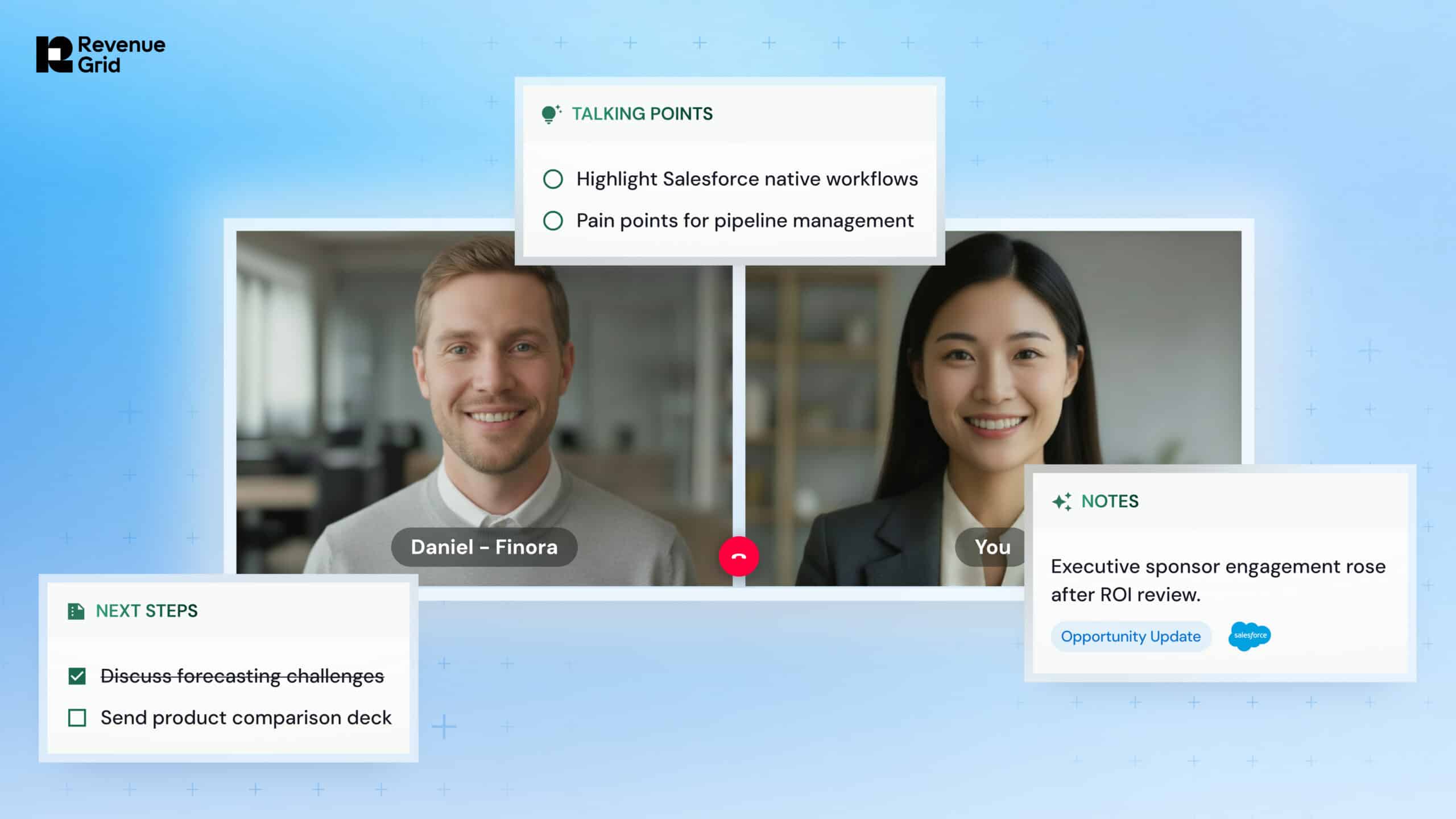
Half of the 1,026 B2B sellers in a Gartner survey said they feel overwhelmed by the technology their job requires, and overwhelmed sellers are 45% less likely to hit quota.
You can see that overwhelm in something as ordinary as prepping for a call. Your client’s history is split across the inbox, CRM, transcripts, and notes, so you reassemble it yourself, clicking from one tool to the next. When there isn’t time, you walk in having checked two sources out of five, or working from memory.
Reps don’t need more time to prep. They need the context assembled for them, automatically, before every call.
This is where Revenue Grid comes in.
It connects every conversation across the customer journey (not just individual calls), so the full relationship is ready the moment you open the account. You save time, but more importantly you walk into a conversation knowing everything that is important, not just the piece you had time to find.
How Revenue Grid prepares you for every conversation
Revenue Grid assembles the full relationship context for you, in one place. Here is how that helps you in three different ways.
Prep without leaving the inbox
If prepping a reply means leaving your inbox to find something, by the time you’re back you’ve lost your focus and the thread.
The Inbox Sidebar puts the account next to the message. Open a thread in Outlook or Gmail and you see the contact, the related opportunity, recent activity across the account, and the open items attached to it. You can update the record, log a follow-up, or check what a colleague sent last week without leaving the window.
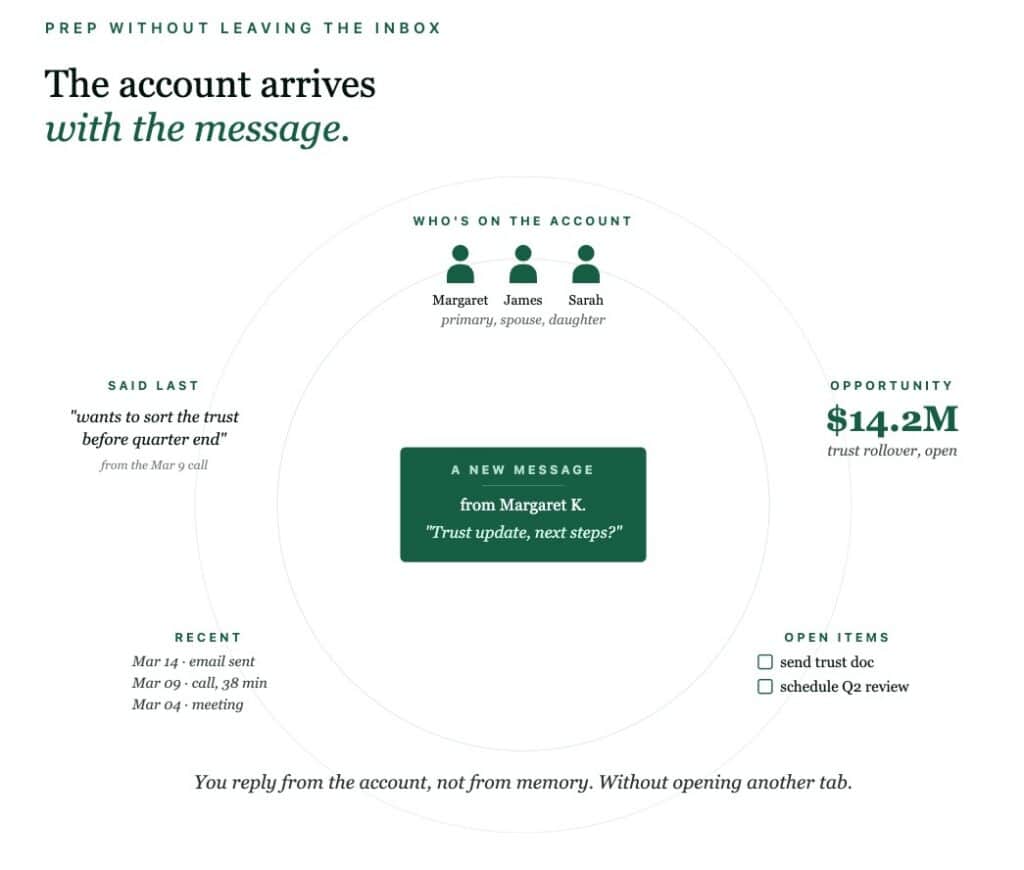
The result is a reply that goes out carrying the specific detail that tells the client you’re paying attention.
Know what could shape the next conversation
Having the full account history available still leaves reps to figure out what deserves attention. And when they’re managing multiple accounts, they cannot review every deal every day.
The Inbox Sidebar helps reps with conversation in front of them. But they also need help preparing for accounts that might not be showing up in the inbox.
Revenue Grid’s Deal Guidance surfaces changes across those accounts that could matter in the next interaction, such as:
- Engagement that has slowed since the last conversation
- Decision-makers who have not been brought into the deal
- Opportunities that still depend on one contact
- Stages or close dates that no longer match recent activity
- Next steps that were agreed on but have not happened
With these changes visible beforehand, reps can prepare for the issues they may need to address, whether that means asking why engagement has slowed, bringing another stakeholder into the conversation, or following up on a next step that has stalled.
USE CASE
At a multi-billion-dollar commercial bank, bankers got back an average of 15 hours a week with Revenue Grid. The time they used to spend on manual work went into talking to clients instead, and new meetings went up by 50%.
Book the meeting while the interest is live
Preparation only pays off if the meeting actually happens. When a client is ready to talk, the scheduling back-and-forth is where that momentum slips. BookMe links and live availability let them grab a time on the spot, so you book a conversation while the interest is still fresh.
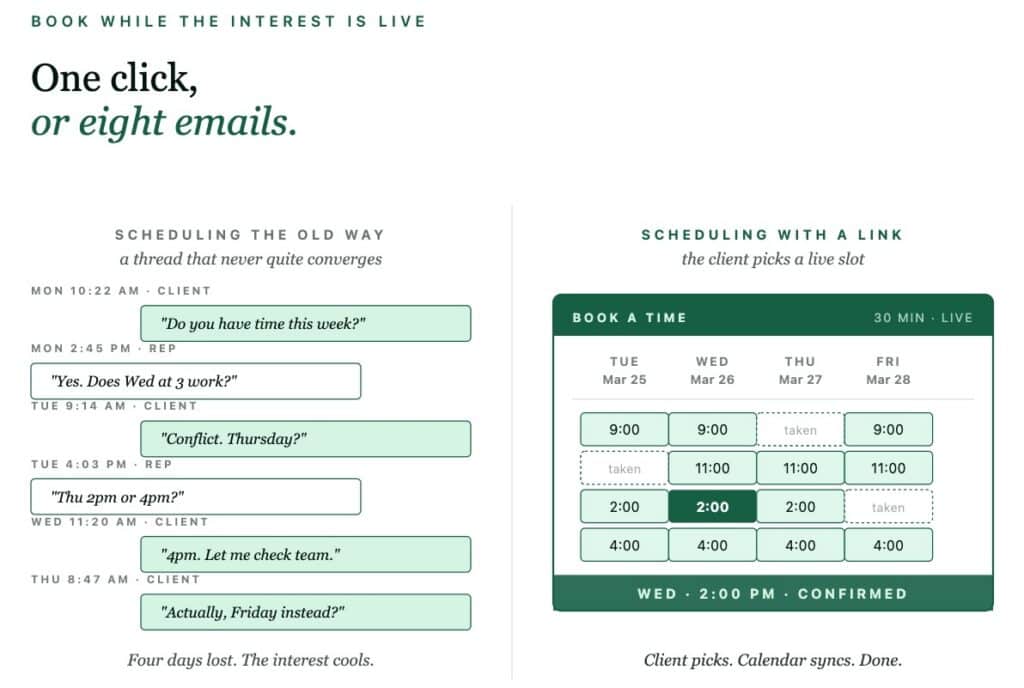
With Revenue Grid Scheduling and Calendar Sync, you can:
- Let the client pick a time without a scheduling thread. A Book Me link opens a booking page built from your live calendar, and when colleagues need to be on the call, it shows only the slots that are free for all of them.
- Keep control of when you meet: Curated time options drop two to six slots you choose into the body of the email, so the client books without seeing your whole week.
- Stop double bookings before they happen: Real-time sync with Outlook and Google means the times you offer are the times actually free, and you never send the awkward retraction email.
- Hand the meeting off without losing the moment: Routing rules pass it to the colleague who should own the call while the client is still on the page, rather than three days later after an internal thread.
- Walk in already knowing the agenda: Pre-meeting questionnaires collect what the client wants to cover, so the first few minutes are spent on their problem instead of discovery you could have done in advance.
Get the context you need before the meeting
Once the meeting is booked, Meetings Assistance prepares reps for the conversation.
It automatically creates a concise Meeting Memo with the latest account updates, deal context, and relevant talking points.
The memo pulls in the latest Salesforce activity and deal context, then adjusts the talking points and reminders based on the buyer, deal stage, and the team’s sales strategy. Reps get the context that matters for this conversation instead of another account summary to read through.
Fill in the gaps before the conversation
Sometimes reps do not need another dashboard or account view. They need a quick answer to a specific question.
Revenue Grid’s AI Chat lets reps ask questions in plain language and get answers from the full context Revenue Grid has already captured. For example:
- What changed on this account since the last meeting?
- What were the main concerns raised in recent conversations?
- What follow-up did we commit to?
AI Chat can also summarize email threads, meetings, and account activity, or help draft replies and follow-ups.
Less prep work, more client time
When Revenue Grid handles more of the prep work, reps spend less time searching for information and more time talking to clients.
Across a team, those hours can translate into significantly more capacity for client conversations.
Get your prep done automatically